REVIEW · BAR HARBOR
Self-Guided Audio Driving Tour in Acadia National Park
Book on Viator →Operated by GuideAlong (GyPSy Guide) · Bookable on Viator
Acadia can feel like a lot of driving. This self-guided audio route helps you stay on track and still move at your own speed. You’ll get location-based stories and tips that play as your phone registers where you are, so you’re not stuck following a rigid group schedule.
I love the easy, buy-once flexibility: one purchase covers your whole group (up to 8 people), and you can start and stop anywhere along the route area. I also really like how practical the narration is while you drive—clear direction cues, what to expect at each stop, and built-in pacing so you can spend time where you care most.
One consideration: you still have to plan around separate park costs (Acadia entrance) and Cadillac Mountain vehicle reservations. Also, GPS triggers can be imperfect in some spots, so download the tour in advance and keep the app running so you don’t have to wrestle with timing.
In This Review
- Key things to know before you start
- A GPS-driven day in Acadia without tour-pressure
- Set up your phone and solve the car-audio puzzle
- Route highlights: Bass Harbor to Cadillac, plus carriage roads and Jordan Pond
- Park Loop Road, Sand Beach, and the seawall on the raw-coast side
- Sieur de Monts Spring, Somes Sound, and Thunder Hole’s tide drama
- Price and value: what the $19.99 covers (and what it does not)
- Should you book this Acadia driving tour?
- FAQ
- How much does the Acadia self-guided audio driving tour cost?
- How long does the tour take?
- Do I need an internet connection during the drive?
- Is the audio based on where I am in the park?
- Can I start and end the tour anywhere along the route?
- What extra costs are not included in the $19.99 price?
- Do I need a Cadillac Mountain Road reservation to drive there?
- What device and audio setup do I need?
- Can I cancel and get a refund?
Key things to know before you start
- Location-based autoplay: the narration cues you as you pass points, using your phone’s GPS
- Works offline once downloaded: no cell service needed after you prep the tour
- Private group format: only your group participates, and one purchase covers up to 8 people
- Carriage roads and viewpoints built into the route: not just one view, but multiple ways to slow down
- Beach stops with real-world cold water: Sand Beach is about the views and walks, not comfort swimming
- Thunder Hole timing matters: the best water-spray effect lines up with higher tide and bigger waves
A GPS-driven day in Acadia without tour-pressure
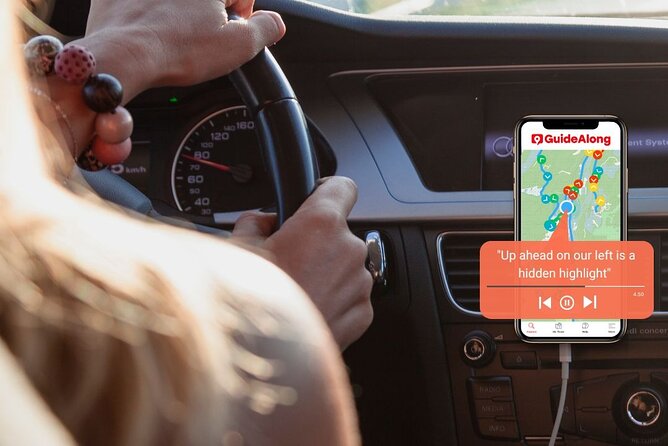
This audio driving tour works like a smart “park companion” in your passenger seat. Instead of cramming everything into one sprint, you can build your day around your own interests—views, history, short walks, or a long food-and-photo stop at the right moment.
The biggest win for me is control. The commentary starts based on where your phone thinks you are, so you’re not forced to hit every stop on a checklist. If you want extra time at a viewpoint or you’re just not feeling a hike that day, you can adjust. That matters in Acadia, where weather changes fast and traffic can be slow when crowds stack up.
You’ll also love the way the route connects iconic highlights with “how-to-experience-it” guidance. The narration doesn’t just name places like Bass Harbor Head Lighthouse or Cadillac Mountain—it helps you understand what you’re looking at and why it’s worth your time. And if you end up running your drive as a second loop, the tour style still works: it’s flexible enough to re-focus on the parts of the island that feel more interesting to you after your first pass.
You can also read our reviews of more tours and experiences in Bar Harbor.


Set up your phone and solve the car-audio puzzle
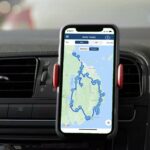
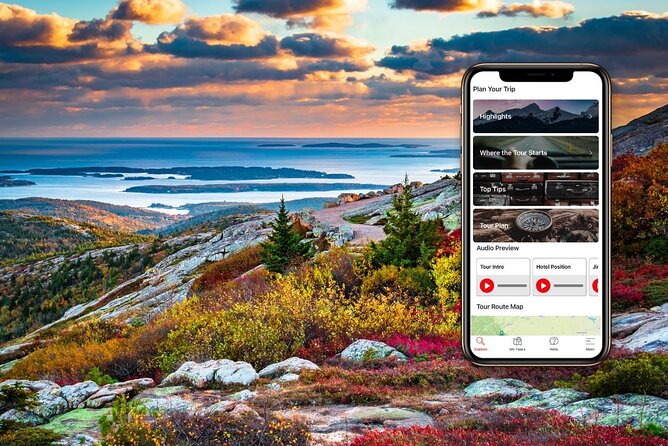
This tour is simple if you do one thing first: download it before you get where service gets spotty. After booking, you redeem a voucher in the GuideAlong app, then download the tour under My Tours. Once it’s downloaded, you can keep rolling even without cell service.
Bring a USB/C car charger so your phone stays alive for a long day of GPS and audio. And yes, plan on keeping the app open while you drive if you want the location-based cues to stay reliable. One common snag is that location services can be inconsistent inside the park, which can lead to audio not triggering exactly when you expect.
Car sound is the second big practical issue. The app plays on your phone, and it can be harder to route that audio through your car stereo depending on your setup. If you’re trying Bluetooth, set your vehicle audio source correctly, and avoid situations where the phone might be paired in a way that blocks audio. Also, there’s a note worth taking seriously: the app may not support Apple CarPlay the way you’d expect, so if that’s your plan, test it early at home or rely on phone audio through earbuds.
Route highlights: Bass Harbor to Cadillac, plus carriage roads and Jordan Pond
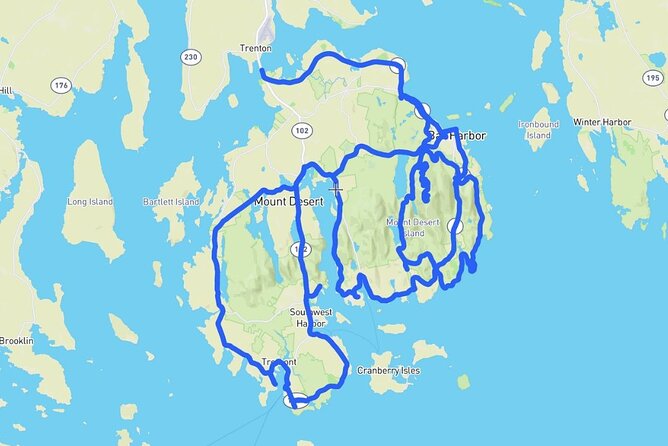
Your day can start right in the park area, with the audio cues starting as your phone detects you’re approaching the route. From there, the route builds in a nice rhythm: dramatic coastline, big-elevation views, then slower “you can walk this” moments.
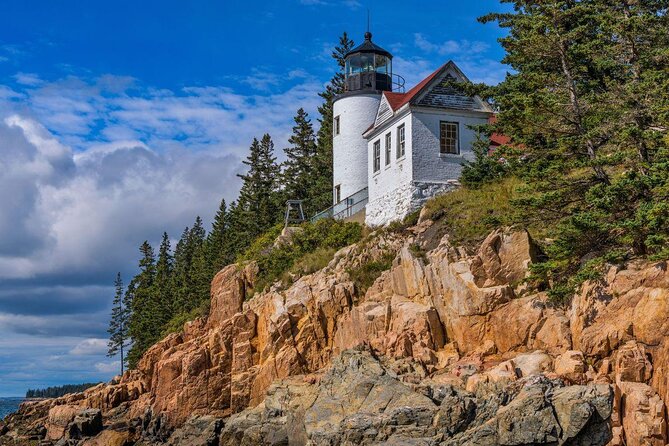
Bass Harbor Head Lighthouse (photo outside, then walk the grounds)
This is the “lighthouse moment” stop. It’s been standing since 1858 and it’s the only lighthouse on Mount Desert Island. The tower and keeper’s house aren’t open to the public, so your payoff is the outside look and the photos. The only drawback is the practical one: sometimes you’ll need to be patient to snag parking.
Cadillac Mountain (big views, but plan for reservations)
Cadillac is the high point of the whole area, topping out at 1,530 feet along the North Atlantic Seaboard. You can drive, hike, or bike—but if you’re driving up, you need a Cadillac Mountain Road vehicle reservation. The audio helps you get oriented, but you still want to treat this as a planned moment, not an afterthought. It’s also a stop where weather can change fast, so even if the morning looks clear, bring a layer.
Carriage roads (broken-stone roads made for slow travel)
Acadia’s carriage roads are one of the most rewarding parts of the park day, especially if you like walking without feeling like you’re on a steep “big hike.” These roads are designed for horse-drawn carriage rides and are famously wide for broken stone (16 feet). John D. Rockefeller Jr helped shape the system, and you can find about 45 miles of these roads within the park. You can hike them, and bicycles are welcome on many. If you want a break from pure driving, this is where to take it.
Jordan Pond (tea-and-popovers tradition + an easy fallback if there’s a wait)
Jordan Pond House is known for a long-running lawn tradition of tea and popovers with jam. If you run into a table wait, you’re not stuck. The surrounding nature trails give you an easy way to stretch your legs while you wait out the timing. The audio framing here helps you focus on the views down the pond toward the Bubbles, so it feels less like a stop and more like a “pause.”
Park Loop Road, Sand Beach, and the seawall on the raw-coast side

After you’ve handled the elevation and slower roads, the tour shifts into “how to enjoy Acadia’s coastline properly” territory. Two of the best tools here are the Park Loop Road and beach stops that work even when the water is cold.
Park Loop Road (27 miles that connect the best eastern side sights)
If you only have time for one full drive day, this is it: the 27-mile Park Loop Road ties together many top places on the island’s eastern side. You’ll want a National Park pass, which you can buy at the Sand Beach Entrance Station or at a visitor center. Parking can be tricky, and the park allows parking in the right-hand lane unless signs say otherwise—so keep an eye on posted rules instead of assuming.
This is also where the audio shines for pacing. Because the commentary is location-based, it helps you decide when to stop, when to keep moving, and when you’ve actually arrived at the viewpoint you’re looking for. That can save real time in a place where turns look similar from a moving car.
Sand Beach (views first; swimming is a bonus at best)
Sand Beach is Acadia’s only sandy beach, and it’s a visual stop even if the sand idea makes you expect warm water. Real talk: the water rarely gets warmer than 55 degrees. The better play is to use the beach as a launch point—dip your toes if you want, but plan on short walks. The Great Head hike can give you superb views, and the Ocean Path is an easy route to coastline coves and cliffs.
Seawall Picnic Area (storms built this in raw stone)
This side of the island feels more remote and untamed. The seawall is made of massive cobbles formed from storm action—stone kicked up, carried by waves and tides, then piled onto shore. The vibe is less manicured, and it’s a favorite for birdwatching. It’s a good stop when you want your photos to feel less like postcards and more like you’re actually witnessing the ocean’s power.
Sieur de Monts Spring, Somes Sound, and Thunder Hole’s tide drama

For the last stretch, the tour leans into nature and geology. This is where you’ll get more “why it looks like this” context than you get from pure viewpoint hunting.
Sieur de Monts Spring (nature center + wildflower gardens + a small museum)
This is often described as the heart of Acadia because it packs in multiple layers: a Nature Center, the Wild Gardens of Acadia with more than 400 indigenous wildflower species, a spring house, and a small museum. The museum includes archaeological artifacts dating back as far as 11,000 years. If you want a break from driving and a stop that feels educational without being heavy, this is a strong choice. It also helps ground the trip, especially if the day has been foggy or wind-whipped and you’ve missed some view depth.
Somes Sound (glacial shape + quiet water views)
Somes Sound is a deep body of water formed during the last glacial event, almost cutting the island in half. The route follows around it, so you get repeated water views rather than one quick “look and go.” There’s also a bridge stop tied to photography—if your camera is ready, this is a good moment to park and take it in.
Thunder Hole (waves that show off, especially near high tide)
Thunder Hole is one of those places that sounds dramatic because it really is. When waves force their way into a crevice and then a chamber, water can spray up as high as 40 feet with a loud roar. The effect is strongest within a couple hours of high tide and when waves are larger. If you time this wrong, it can feel underwhelming—so treat it like a tide-dependent performance and don’t just roll up whenever.





Price and value: what the $19.99 covers (and what it does not)

At $19.99 per group (up to 8 people), the pricing is geared toward groups and car trips. That’s where you get value: one payment covers everyone sharing the same vehicle, instead of each person buying a separate guided experience.
What you’re paying for is the GuideAlong (GyPSy Guide) audio package: 115+ points, location-based stories and directions, suggested itineraries, and the ability to download for offline use. You’ll also get in-app, web, and PDF planners, plus free updates and long-term use (no expiry).
What you still need to budget for:
- Acadia National Park entrance fee: not included, $35 per booking
- Cadillac Mountain Road vehicle reservation: not included, $6 per booking
Those extra costs are why I’d call this a smart add-on rather than a one-stop ticket. If you’re already planning to enter Acadia and you want a simple way to make your driving day more meaningful, the $19.99 price is easier to swallow.
Should you book this Acadia driving tour?

I’d book this if you want maximum flexibility and less decision fatigue. It’s especially worth it when you’re driving a full loop day, juggling limited daylight, or traveling with kids who do better when you can pause, move on, and keep things interesting.
Pass on it only if you know you won’t bother with phone setup, you refuse to use GPS-based triggers, or you expect everything to automatically route through your car speakers with zero tinkering. The tour itself is built for offline audio and location cues, but your phone setup is the key.
If you do book, my best advice is simple: download before you enter, charge your phone, and build the day with short stops that match how you feel—rather than trying to force a perfect itinerary.
FAQ
How much does the Acadia self-guided audio driving tour cost?
It costs $19.99 per group, up to 8 people.
How long does the tour take?
Plan for about 8 to 16 hours, depending on how much time you spend at stops.
Do I need an internet connection during the drive?
No. After you download the tour in advance, it works offline, so you can use it even with no cell service.
Is the audio based on where I am in the park?
Yes. The commentary plays automatically based on your GPS location.
Can I start and end the tour anywhere along the route?
Yes. Commentary is location-based, so you can start and stop anywhere along the tour route area, with the tour start/end tied to Acadia National Park.
What extra costs are not included in the $19.99 price?
You still need to pay for Acadia National Park entrance ($35 per booking) and a vehicle reservation for driving up Cadillac Mountain Road ($6 per booking). The audio tour itself is included.
Do I need a Cadillac Mountain Road reservation to drive there?
Yes. The tour notes you need a reservation to drive your car on the Cadillac Mountain Road.
What device and audio setup do I need?
You’ll use your phone. Bring a USB/C car charger for charging, and earbuds/headphones if you want to listen while you’re walking or away from your car.
Can I cancel and get a refund?
Free cancellation is available. You can cancel up to 24 hours in advance for a full refund; within 24 hours, it is not refunded.