REVIEW · CALIFORNIA
Yosemite National Park Self Guided Driving Audio Tour Guide
Book on Viator →Operated by Adventures with Action · Bookable on Viator
Yosemite, explained by GPS, from your own windshield. This self-guided driving audio tour lets you hit major Yosemite stops with hands-free GPS narration, plus offline maps so you’re not hunting for service. The one catch to plan around: you must download the app while you have strong wifi or cellular, and you’ll still need your own park pass since it’s not included.
I like this setup because it turns Yosemite into a choose-your-own-drive day: you can pause for photos, detour for a view, and jump back in later. The route is designed as a loop around Yosemite Valley highlights—over 75 miles—with 78+ audio stories that guide you stop to stop.
In This Review
- Quick take: what makes this Yosemite audio tour click
- Why this is a smart way to do Yosemite Valley highlights
- Price and value: $16.99 per group can make a real difference
- Route overview: 75+ miles of Yosemite stories in about 3–4 hours
- Stop-by-stop: what you’ll see and what the audio adds
- 1) Elephant Rock
- 2) Mount Conness
- 3) Cathedral Peak
- 4) Tenaya Lake
- 5) Three Brothers
- 6) Sentinel Rock
- 7) Yosemite Falls
- 8) Mirror Lake Trail (for the view and the mood)
- 9) Cathedral Beach Picnic Area
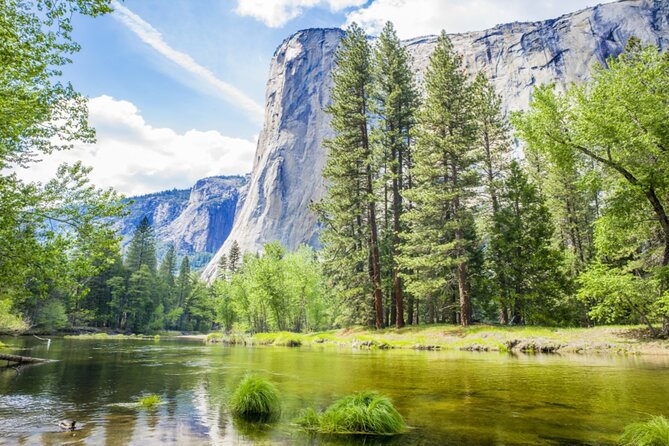
- 10) Merced River
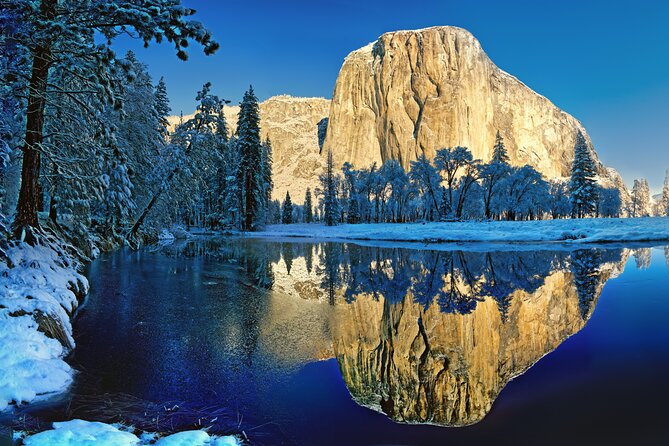
- 11) Half Dome
- 12) Yosemite Village
- Hands-free offline audio: the tech that matters (and how it can fail)
- Getting started at the right spot in Yosemite Valley
- What to know about park passes and stop entry
- Who should book this Yosemite drive-audio tour
- Should you book this Yosemite self-guided driving audio tour?
- FAQ
- How much does the Yosemite self-guided driving audio tour cost?
- How long does the tour take?
- Does it work without cell service in Yosemite?
- Do I need to buy park passes?
- What language is the audio tour in?
- Where do I start and end the tour?
- How do I listen in my car?
- Is Half Dome part of the tour, and do I need a permit?
Quick take: what makes this Yosemite audio tour click
- GPS-triggered stories: audio plays automatically based on your location, so you don’t babysit your phone.
- Offline-first experience: you can keep going even when cell service disappears in the park.
- Good value per car: $16.99 covers up to 4 people, which can be cheaper than buses or guided tours.
- Lifetime access: no expiry, so you can reuse it on another Yosemite trip.
- Big-name Yosemite stops in one pass: Elephant Rock, Yosemite Falls, Mirror Lake area, Merced River, Half Dome, and more.
- No fixed group timing: the best parts of Yosemite aren’t on a schedule—this tour lets you wait for better light.
Why this is a smart way to do Yosemite Valley highlights
Yosemite can feel “all at once.” That’s great—until you’re stuck in traffic, juggling parking, and trying to hear a guide over a car full of snacks. This tour’s big promise is simpler: you get a curated route with story moments that match where you are, but you’re driving your own day.
You’re not committing to a strict timeline with a group, and you don’t need to time your stops to someone else’s pace. If you see a turnout and want an extra 20 minutes, you can. If you’re not in the mood for a longer walk at one stop, you can move on and keep your day efficient.
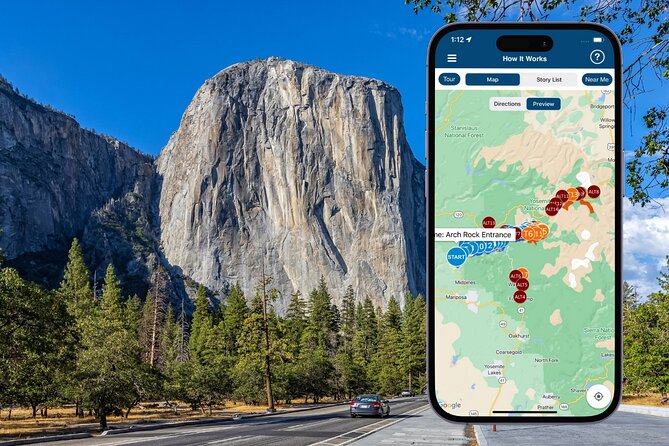
I also like that the audio is built for the reality of Yosemite—cell service can be spotty, and the park is huge. The offline maps and offline audio are the difference between “cool idea” and “actually usable in the moment.”
You can also read our reviews of more tours and experiences in California.
Price and value: $16.99 per group can make a real difference
This tour costs $16.99 per group (up to 4 people). If you’re traveling as a couple, you’re paying essentially for two people’s flexibility; if you’ve got a family or a small group of four, your per-person cost drops fast.
Now, the honest part: Yosemite is not cheap once you add gas, food, parking, and a park entry pass. But because this audio guide is priced per car, it can be a low-cost way to level up your experience without paying for a full guided tour.
Also, the tour gives you lifetime access with no expiry. That matters if you’re the type who revisits places or plans to explore Yosemite again from a different direction. Even if you only use it once this trip, you’re not stuck with a “use it now or lose it” mindset.
Route overview: 75+ miles of Yosemite stories in about 3–4 hours
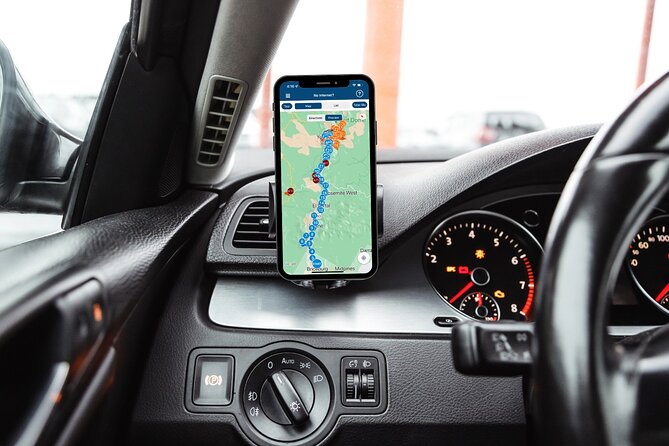
The driving route is over 75 miles long, with more than 78 audio stories. The typical time to complete it is about 3–4 hours, though the overall duration is listed as 3 to 5 hours depending on how often you stop for photos and short walks.
What’s useful here is that the itinerary is organized by “story stops.” Many are roughly 10 minutes of audio tied to key viewpoints or trail starts. A couple of stops are longer blocks (about 15 minutes) when the area naturally takes more time—like the Merced River and picnic/riverbank views.
If you keep moving at a steady pace, you’ll finish in a half-day. If you slow down for viewpoints and want to actually enjoy the scenery, plan closer to the 4–5 hour range.
Stop-by-stop: what you’ll see and what the audio adds
1) Elephant Rock
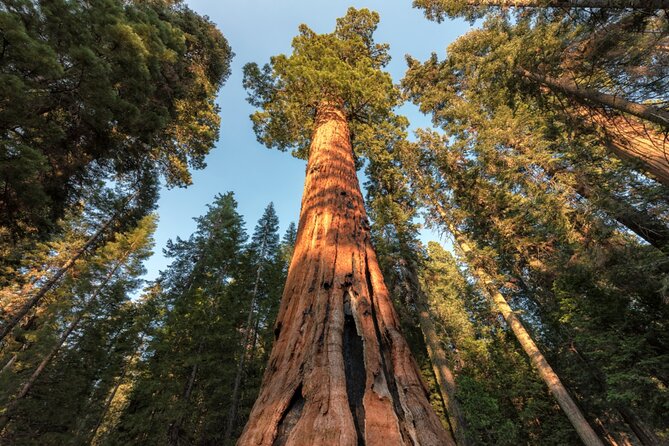
Elephant Rock is named for a shape you’ll recognize once you’re standing there—an elephant-like form that looks like it’s heading off into the distance. The story framing here is more than trivia: it’s about how erosion over centuries sculpts rock into something your eye can instantly interpret.
Why this stop is worth your time: it’s a quick leg-stretcher that pays off visually, and the audio helps you look beyond the “cool photo” moment.
Timing tip: give yourself a few extra minutes to check angles. From different viewpoints along the pull-off area, the shape can look totally different.
2) Mount Conness
Mount Conness brings in the “scale” factor. The audio sets expectations that this is a craggy crags-and-ridges kind of sight, taller than most landmarks around it.
What you’ll get from the audio: context for how Yosemite’s big forms came together, so the mountain doesn’t feel like just another tall silhouette.
Practical note: this is a short story stop (about 10 minutes). If you’re hoping for big hikes here, this isn’t the focus—think viewpoint and orientation.
3) Cathedral Peak
Cathedral Peak is one of Yosemite’s most recognizable silhouettes. The audio calls out the spires and the kind of “wow” energy this peak has for hikers and climbers.
The value: instead of just seeing a familiar mountain icon, you’ll understand why it’s so loved—what makes it recognizable and memorable.
4) Tenaya Lake
Tenaya Lake is a glacially carved alpine lake. The audio helps you connect what you’re seeing—granite peaks, forests, and meadow-like surroundings—with the processes that created the setting.
Why I like this stop: it offers a slower-feeling moment compared to the jagged viewpoints. Even if you don’t do a long walk, the lake view resets your attention.
5) Three Brothers
Three Brothers is a trio of peaks rising over 3,000 feet above Yosemite Valley. The audio frames them as a glacier-carved granite story—Yosemite’s signature “rock and ice” theme in a compact package.
What to watch for: skyline alignment. If the peaks line up just right from where you park, the “three” in the name becomes obvious fast.
6) Sentinel Rock
Sentinel Rock is another iconic granite peak, rising over 3,000 feet above the valley floor. This stop also adds a cultural layer in the audio: it discusses geological formation through glacial erosion over millions of years, plus cultural significance to Indigenous people who lived in the area for thousands of years.
Why this matters: it’s not only about geology. It gives you a fuller sense of why these places matter beyond outdoor recreation.
7) Yosemite Falls
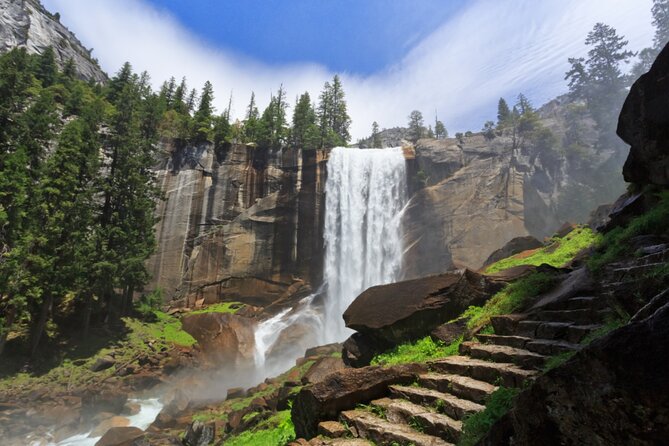
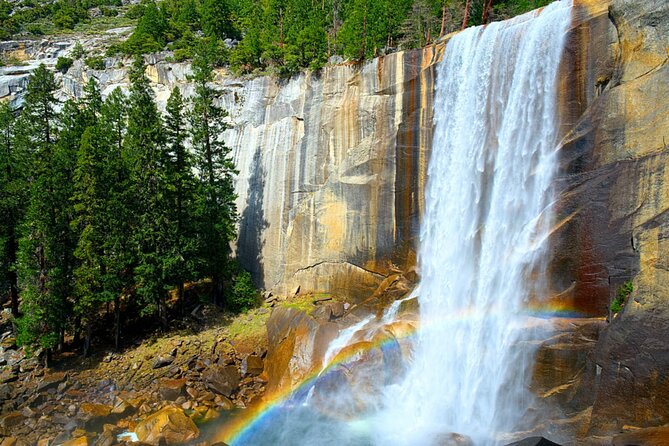
Yosemite Falls gets treated as a major highlight for a reason. The audio notes the waterfall’s total height over 2,400 feet and explains how it’s linked to glacial activity and the erosive power of flowing water.
Practical reality: waterfalls can look different depending on season and flow. Use the audio to focus on the “how it formed” angle, not only the water volume.
8) Mirror Lake Trail (for the view and the mood)
Mirror Lake Trail is described as a tranquil path through forests and meadows toward crystal-clear water. The story also includes how Mirror Lake relates to glacial activity and erosion.
The best way to use this stop: treat it as a short reset. Even if you don’t do a long walk, you’re collecting Yosemite atmosphere: quieter footing, lower stress, and a view that feels less “pose-for-the-car” and more “wander.”
9) Cathedral Beach Picnic Area
Cathedral Beach sits along the Merced River with views of granite cliffs and Yosemite Valley. The audio mentions possibilities here: you can swim, fish, or simply relax—and it’s also described as a starting point for rafting trips down the Merced River.
Why this stop works: it’s a “linger” moment. If you’ve got kids or multiple walking styles in your group, this is a place where different energy levels can coexist.
10) Merced River
The Merced River stop gives you the outdoor menu: fishing, swimming, hiking, and rafting. The audio emphasizes the river’s path through Yosemite National Park and ties it to the surrounding granite cliffs, waterfalls, and forests.
How to handle time: this is one of the areas that can turn into a half-day if you get tempted by water activities. If you’re trying to keep the whole route tight, set expectations before you arrive.
11) Half Dome
Half Dome is a big moment, and the audio doesn’t treat it casually. It describes the massive granite dome rising over 4,700 feet above Yosemite Valley. It also clearly explains the hiking challenge: a 14–16 mile round trip with elevation gain over 4,800 feet, and the fact that the final ascent up the cables requires a permit.
Who this stop is for: if you’re a hiker, this audio gives you the reality check early. If you’re not hiking, it still delivers a strong sense of scale and why Half Dome is such a magnet for the park’s adventure crowd.
Key consideration: Half Dome involves serious logistics. Use the audio to decide whether you’re in this for the challenge or just here for the iconic view moment.
12) Yosemite Village
Yosemite Village is the main hub of activity in the park, with amenities and options. The audio keeps it practical: think basecamp vibes for food, supplies, and general orientation for the rest of your day.
Why it’s a good ending: after 3–5 hours of driving and story stops, you’ll likely want a place where you can reset—grab water, use restrooms, and decide what comes next.
Hands-free offline audio: the tech that matters (and how it can fail)
This is a self-guided driving audio tour run through the Action’s Tour Guide App. The audio stories play automatically based on your location, which is exactly what you want while driving.
Here’s the tech part you should respect:
- You must download the tour while you’re on strong wifi/cellular. After that, it works offline.
- Your phone needs GPS and the app handles the location-triggered audio.
- For car listening, you can connect your phone to your car stereo using Bluetooth, USB, or AUX. The data also mentions Apple CarPlay support (and Android Auto support is on the way).
- If you’ll walk at stops, headphones can help keep audio clear when the wind and road noise get loud.
Now, the realistic bumps I’d plan for:
- It can be confusing at the very start if the starting point address doesn’t match exactly what you see on your phone map. One useful move is to compare your phone’s instructions to any park map you receive at the entrance.
- If the audio ever skips or doesn’t play as you reach a checkpoint, you may need to hit play manually. The system is GPS-driven, so it can recover if you move a bit or restart playback.
This isn’t a flaw—it’s just a reminder that GPS audio is still software. A little patience makes it better.
Getting started at the right spot in Yosemite Valley
The tour starts and ends at P88Q+W5 Yosemite Valley, CA, USA.
No one meets you at the start. You’ll open the app onsite, then the first story begins automatically as you arrive at the story’s point. From there, you follow the audio cues to the next story—again, location-based.
You’ll get an email and text with setup instructions and a password. The instructions specifically say to look for audio tour messages in your email/text, then download the Action app and enter the password.
Practical tip: if you arrive and don’t see the audio starting when you expect, don’t panic—confirm you’re exactly at the intended starting point and direction before troubleshooting your phone.
What to know about park passes and stop entry
Park passes are not included in the tour. Each stop is listed with admission ticket free, which suggests you’re not paying extra at each story location. But Yosemite entry rules can still require your own pass.
So, handle park entry first, then use the audio tour as your “what am I looking at?” guide once you’re in.
Who should book this Yosemite drive-audio tour
This is a strong match if you:
- Want Yosemite highlights without joining a group schedule
- Like learning as you go, without stopping to read signs
- Plan to drive your own car and listen hands-free
- Are traveling as a small group (since it’s priced per car up to 4)
- Care about offline audio because you know service can be unreliable in the park
It’s also a good option if you want a day plan that still leaves room for surprises. Yosemite is famous for pulling you off your plan when you see a view worth an extra stop.
Should you book this Yosemite self-guided driving audio tour?
If your goal is to cover the Valley highlights in a half-day to full-day, learn the geology and meaning behind what you’re seeing, and do it without group pressure, I think this is a smart buy. The best part is the combination of GPS-triggered narration and offline use, so you’re not stuck staring at a phone screen or waiting for service.
I’d hold off or plan more carefully if:
- You don’t have reliable wifi/cellular to download the app before entering the park
- You expect a fully guided, turn-by-turn route with a person waiting at the start
- Your day depends on very smooth audio playback every single minute (GPS audio can occasionally need manual prompting)
If you’re flexible, bring a little patience to the tech setup, and plan for a Yosemite day that’s partly about driving and partly about stopping, this tour can make your Yosemite time feel better organized—and more memorable.
FAQ
How much does the Yosemite self-guided driving audio tour cost?
It costs $16.99 per group, up to 4 people.
How long does the tour take?
The duration is about 3 to 5 hours, and the route takes roughly 3–4 hours to complete.
Does it work without cell service in Yosemite?
Yes. The tour includes offline maps, and it’s designed to work without cellular or wifi after you’ve downloaded it.
Do I need to buy park passes?
Park passes are not included, so you’ll need to arrange park entry on your own.
What language is the audio tour in?
The tour is offered in English.
Where do I start and end the tour?
The tour starts and ends at P88Q+W5 Yosemite Valley, CA, USA.
How do I listen in my car?
You can connect your phone to your car stereo using Bluetooth, USB, or AUX. Audio playback is compatible with Apple CarPlay, with navigation features coming soon.
Is Half Dome part of the tour, and do I need a permit?
Half Dome is included as a stop. The audio notes that the Half Dome hike is strenuous (14–16 miles round trip, elevation gain over 4,800 feet) and that a permit is required for the final ascent up the cables.