REVIEW · BRYCE CANYON NATIONAL PARK
Bryce Canyon National Park Self-Guided Driving Audio Tour
Book on Viator →Operated by Travel with Action · Bookable on Viator
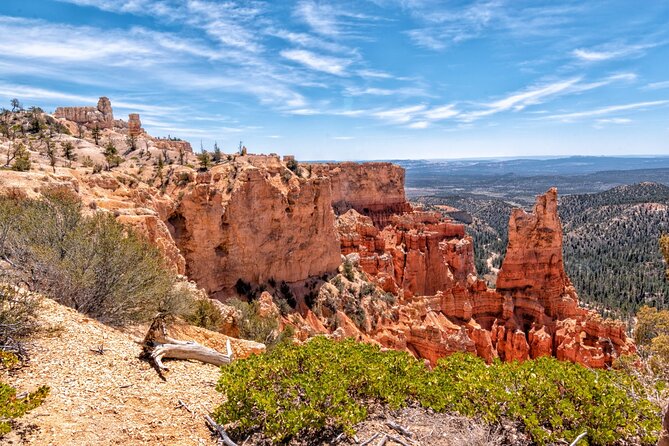
Bryce Canyon turns into a story on wheels. This self-guided driving audio tour guides you from viewpoint to viewpoint, adding the why behind the hoodoos and the people who lived here. You’ll learn how Bryce Canyon got its name from Ebenezer Bryce, and how erosion shaped the Claron Formation into wild shapes like fins, windows, and spires.
I especially like that it’s built for your pace: pause for photos or short walks, then pick up the narration where you left off. I also like the offline maps + location-triggered audio, so you’re not stuck hunting for cell signal while the views are doing their job. The main thing to consider is tech setup: you need to download the tour on strong Wi‑Fi or cellular on-site, and a few users reported app start or GPS quirks, so plan for a little patience at the first minutes.
In This Review
- Key highlights worth your time
- A Bryce drive that works even when your schedule doesn’t
- Price and value: one car, up to four people
- Quick setup: download before you lose reception
- Route overview: from Bryce Canyon Visitor Center to Rainbow Point
- Stop-by-stop: your audio guide through Bryce’s best angles
- Stop 1: Bryce Canyon Visitor Center area and the name “Bryce”
- Stop 2: Fairyland Point for a fast first “wow”
- Stop 3: Sunrise Point and the “big view” setup
- Stop 4: Bryce Amphitheater for the semicircle scale
- Stop 5: Sunset Point and the science of hoodoos
- Stop 6: Inspiration Point and Paiute myth
- Stop 7: Bryce Point and Ebenezer’s successors
- Stop 8: Paria View and glacier leftovers
- Stop 9: Swamp Canyon Overlook and Butch Cassidy
- Stop 10: Farview Point and bristlecone pines
- Stop 11: Natural Bridge and rock forms beyond hoodoos
- Stop 12: Agua Canyon and hoodoo names
- Stop 13: Ponderosa Canyon and juniper sprawl
- Stop 14: Black Birch Canyon and night-sky talk
- Stop 15: Rainbow Point and Yovimpa plus the Grand Staircase
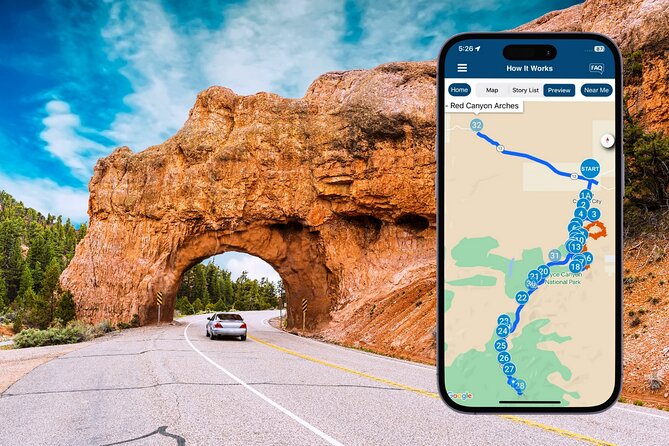
- Stop 16: Red Canyon Arches as a road-cut “almost”
- What you learn that changes how you look
- Practical guidance for better photos and less rushing
- Common “app life” issues, and how to dodge them
- Who should book this Bryce Canyon audio tour
- Should you book this Bryce Canyon self-guided audio drive?
- FAQ
- Do I need a park pass for Bryce Canyon National Park?
- How much does the audio tour cost?
- How long does the driving audio tour take?
- Does the tour work without cell service?
- Is the tour private for just my group?
- How do I start the tour once I arrive?
- Can I pause the tour and continue later?
- Does the access expire?
- How do I play the audio in my car?
- What if I have audio problems or GPS issues?
Key highlights worth your time
- Lifetime access with no expiry, so one purchase can fit more than one Bryce trip
- Private audio, no groups merging, meaning you control the stops and timing
- Offline playback after downloading the app, so canyon reception stops being a problem
- A 60+ mile route with 30+ stories tied to where you are
- Stop logic that matches viewpoints, so you know what you’re seeing before you park
A Bryce drive that works even when your schedule doesn’t
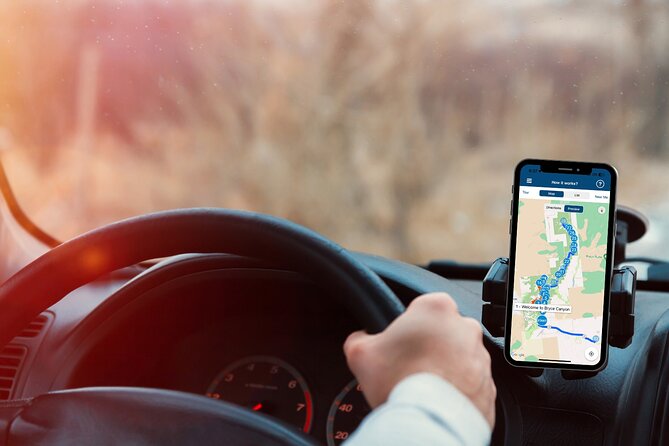
This is a self-guided driving audio tour, meaning you’re not stuck behind anyone else’s itinerary. The audio plays automatically based on location cues, so you can keep your eyes on the road while it “walks” you from stop to stop. If you arrive late, you can still enjoy part of the route, pause, and return later the same day or another time.
The route is listed as about 60 miles long with 30+ audio stories, and the total time estimate is 1 to 2 hours. That time range is realistic if you treat the viewpoints like viewpoints: park briefly, look closely, take a few photos, then move on.
You can also read our reviews of more tours and experiences in Bryce Canyon National Park.

Price and value: one car, up to four people

At $16.99 per group (up to 4), this costs less than most “guided” options that charge per person. The big value here is that you’re buying an audio brain for the whole drive, not just a one-time talk. You also get new lifetime access with no expiry, so you can use it again on a future trip without paying again.
Two value notes that matter in practice:
- You can spread learning across visits. If road conditions or crowds change your day, you don’t “lose” the tour.
- You get the storytelling without adding driving stress. You’ll be focused on the viewpoints and the road, not stopping to read signs every few minutes.
Quick setup: download before you lose reception
The experience runs through Action’s separate audio app (Action’s Tour Guide App). After booking, you’ll receive an email/text with setup instructions and a password. The key rule is that you must download the tour while you have strong Wi‑Fi/cellular, then it works offline after download.
For audio, you’ve got a few practical options:
- Connect your phone to your car stereo using Bluetooth, USB, or AUX
- Use headphones if you plan to walk from a viewpoint
- If your car supports it, audio playback can work with Apple CarPlay (Android Auto support is noted as coming soon)
Also: the tour is “hands-free.” You’re told to go to the first story’s point and let it start automatically, then follow the audio cues to the next location. If the app acts weird, it’s usually tied to setup timing or GPS behavior, so start with patience at Stop 1.
Route overview: from Bryce Canyon Visitor Center to Rainbow Point
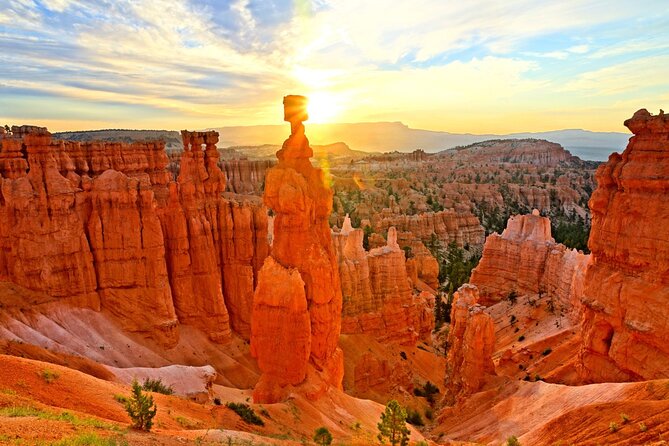
The driving portion is paced around the park’s key overlooks. You’ll start near Bryce Canyon Visitor Center and work your way deeper, with stops that gradually build from iconic amphitheaters to quieter corners and the farthest viewpoints at Rainbow Point and Yovimpa.
The tour ends at Rainbow Point (with the itinerary continuing to Red Canyon Arches as the drive wraps up). Most stops are timed for quick viewing, usually around 5–10 minutes, so you’re not stuck in “sit and wait” mode.
Plan your day like this:
- Aim for the first half of the day if you can. The tour’s opening hours are listed as 6:00 AM to 4:00 PM.
- Bring layers. High desert air can shift fast, and long look-outs get chilly in the shade.
- Don’t let “follow the audio” become “ignore the road.” The instructions emphasize staying on the planned route and speed limit for the best experience.
Stop-by-stop: your audio guide through Bryce’s best angles
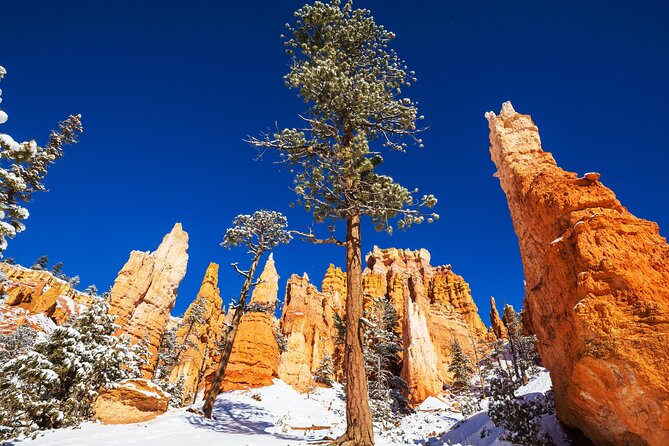
Below is what you can expect at each stop, and why each one earns its place on the loop.
Stop 1: Bryce Canyon Visitor Center area and the name “Bryce”
You begin just before the Visitor Center, with background that makes the whole drive easier to understand. You’ll get the name origin tied to Mormon Pioneer Ebenezer Bryce, plus an introduction to the Paitue people who lived here long before settlement.
The tour frames Bryce Canyon as a set of horseshoe-shaped amphitheaters carved from the eastern edge of the Paunsaugunt Plateau. It also sets up the main visual star: hoodoos—bizarre spires created when erosion and weathering work on the Claron Formation.
Value of this start: by the time you reach your first major overlook, you’ll know what to look for, not just that it looks cool.
Stop 2: Fairyland Point for a fast first “wow”
Next up is Fairyland Point, a classic early detour that gives you a sweeping look at what the park contains. You get broad vistas, sheer cliffs, and hoodoos in view—perfect for building a mental map before you start seeing the fine details.
Downside: this is a quick stop. If the light is great, you may want a bit more time for photos, so be ready to park an extra minute or two if the moment grabs you.
Stop 3: Sunrise Point and the “big view” setup
Sunrise Point is one of the park’s best-known overlooks, and the tour uses it for visual orientation. Expect a wide spread of rock formations in front of you, plus mention of trails that lead away toward the amphitheater world.
If you’re planning a hike for another day, Sunrise Point is a good place to study where those trails might go—so you can decide later without guessing.
Stop 4: Bryce Amphitheater for the semicircle scale
Now you get into the heart of it with Bryce Amphitheater. The narration emphasizes how the canyon curves like a giant semicircle and dips far below the road level.
This is where the hoodoos start to feel less like “cool rocks” and more like a whole system of shapes. The drawback is that it’s easy to zone out and spend too long. Keep an eye on time if you still want to reach Rainbow Point later.
Stop 5: Sunset Point and the science of hoodoos
At Sunset Point, the tour zooms out to explain the science behind the forms. You’ll learn what makes a hoodoo a hoodoo, and how geology plus erosion over monumental time creates the scene you’re staring at now.
Practical tip: if you’re the kind of person who likes to understand before you photo, this stop rewards that instinct. If you just want pretty, it still works—you’ll likely end up noticing more detail afterward.
Stop 6: Inspiration Point and Paiute myth
Inspiration Point adds a cultural layer: you’ll hear about the Paiute people and their mythologies about how this landscape came to be. The audio doesn’t treat the hoodoos as random. It frames them as part of a story that people tried to explain.
This stop is worth it if you enjoy “why people cared” as much as you enjoy “what rocks look like.”
Stop 7: Bryce Point and Ebenezer’s successors
At Bryce Point, you get another signature amphitheater view and a note about the park’s famed sunrise light—how the tops of hoodoos catch orange rays and shadows deepen quickly.
The narration also shifts to Mormon settlers who followed the Paitue and tried to live here in a tough climate. It’s a reminder that this beauty isn’t just scenery; it shaped real lives and real hardship.
If you’re visiting mid-day, you can still enjoy the visuals, but don’t count on sunrise behavior. The audio gives you the “what to look for” so your photos feel more intentional.
Stop 8: Paria View and glacier leftovers
At Paria View, the tour connects Bryce to broader ice-age events. You’ll learn about a glacial chapter and how melting ice-age water flowed down the canyon system as the earth warmed about 12,000 years ago.
This is a strong stop for understanding Bryce beyond its own borders. If you’ve ever wondered why a place can look so dry and still have dramatic water clues, this gives you that thread.
Stop 9: Swamp Canyon Overlook and Butch Cassidy
The drive into Swamp Canyon Overlook brings in a different type of story: Butch Cassidy. The narration ties Butch and Sundance to the local legend and highlights the difference between fact and fiction.
It’s a palate cleanser after geology. You might not see anything that looks like a Wild West movie set, but the story makes the region feel lived-in.
Stop 10: Farview Point and bristlecone pines
At Farview Point, you’re reminded that elevation isn’t the only reason for great views. The audio points out clean air and the presence of bristlecone pines, described as the Earth’s oldest trees.
This stop works best if you’re paying attention to the vegetation mix you can’t always see from the busiest overlooks. It gives you a new way to read the scenery.
Stop 11: Natural Bridge and rock forms beyond hoodoos
Natural Bridge is a reminder that Bryce isn’t only hoodoos. You’ll see unusual arches and formations, so the audio broadens your mental checklist of what’s possible here.
If you’ve been hoodoo-only in your head, this stop prevents tunnel vision.
Stop 12: Agua Canyon and hoodoo names
At Agua Canyon, two prominent hoodoos take focus: The Hunter and Rabbit. The naming is playful, and the narration makes it clear they don’t actually look like those animals in a literal sense—more like they earn the names through resemblance.
You’ll also hear about wildlife—rabbits, deer, and how animals cope with Bryce’s hot summers and freezing winters. It’s the kind of stop that makes you look for movement, not just stone.
Stop 13: Ponderosa Canyon and juniper sprawl
Ponderosa Point emphasizes the park’s junipers stretching across the distance. The audio frames you as moving into deeper recesses of Bryce Canyon National Park.
This stop can feel subtle compared to the amphitheater giants, but that’s part of its value: you’re building understanding of how the park changes across the drive.
Stop 14: Black Birch Canyon and night-sky talk
At Black Birch Canyon Overlook, the narration shifts toward the night sky and opportunities for amateur astronomy. Bryce’s fame for stargazing is referenced as a highlight.
If you’re visiting in the evening, you’ll likely want to plan for it after the drive. If you’re only here in daylight, you’ll still leave with the motivation to come back at night.
Stop 15: Rainbow Point and Yovimpa plus the Grand Staircase
Near the far reaches of the park, Rainbow Point and Yovimpa are your big-finale overlooks. The audio frames the view as nearly everything Bryce has to offer: quintessential hoodoos, the basin, and sheer cliffs.
You also get a bigger geological context: you’re positioned near the top step of the massive Grand Staircase, a series of geologic layers stepping down toward the Grand Canyon in Arizona.
This is the stop that turns your drive into a story of scale.
Stop 16: Red Canyon Arches as a road-cut “almost”
Finally, Red Canyon comes in with Red Canyon Arches. Here’s a neat twist: these arches look natural, but the narration explains they were made by people—workers tunneled through solid rock in 1914 to make room for the road. Since then, nature and time have helped them become part of the scene.
It’s a good reminder that not every dramatic rock feature is purely untouched wilderness.
What you learn that changes how you look
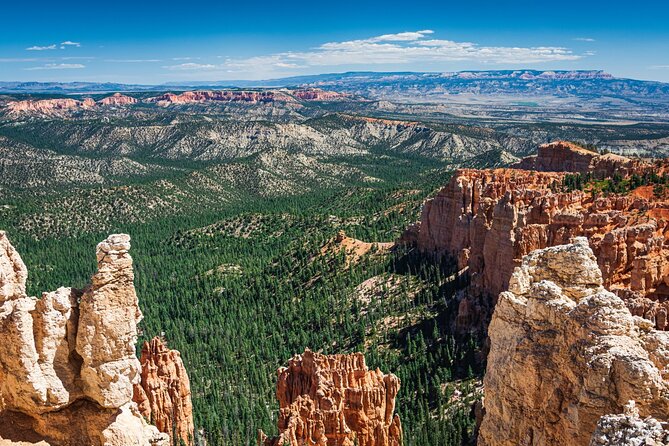
Bryce Canyon is famous for hoodoos, but the tour helps you see the bigger system: plateau edges, erosion, and rock layers interacting over long time. It also blends geology with human story—Paiute myth, Mormon settlement attempts, and even regional Wild West lore.
Here are the “aha” concepts you’ll probably carry out of the car:
- Hoodoos as a product of erosion on the Claron Formation, not random weird stone shapes
- Amphitheater geometry—horseshoe bowls carved from the Paunsaugunt Plateau edge
- Ice-age water paths that connect Bryce to wider ice-age melting patterns
- Big-picture geology via the Grand Staircase reference
And the best part is that you’re not reading these ideas from a brochure while parking and juggling signs. The audio ties them to where you are.
Practical guidance for better photos and less rushing
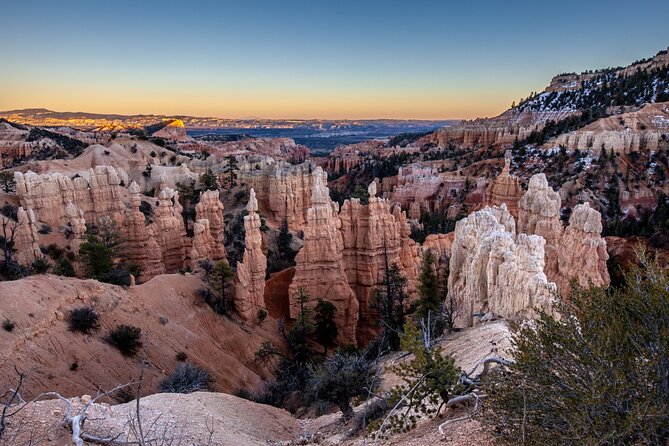
This drive is timed for short stops, which is great if you like movement. But if photography is your hobby, give yourself a little slack at the most dramatic overlooks.
Two tactics that work well:
- Pause the tour only when you truly need it. One review noted the app behavior when pausing for photos might start over at a later point. If you can, snap photos quickly and keep the audio running.
- Expect the park’s cell coverage to be inconsistent. The tour emphasizes downloading and going offline after download, and multiple reviews call out needing to load before leaving more reliable signal.
Also, remember that roads and viewpoints can change. One review referenced some areas being closed but still included in the narrative, which is exactly why your ability to pause and return later matters.
Common “app life” issues, and how to dodge them
Most experiences are smooth, but the reviews point to a few pain points you should plan around:
1) Starting at the correct first point
Some users reported difficulty getting started or vague directions if the app wasn’t launched properly. Your best move is to load the app correctly before you park at the start location, then follow the tour’s cue to that first story point.
2) GPS looping early
One review mentioned the GPS taking them back in a loop before getting into the park. If it happens, don’t fight it immediately. Slow down, re-check you’re near the intended start point, and then let it catch up.
3) App continuing after you’re done
A user reported not liking that the app kept running after the tour ended. If that bothers you, clear recent apps after finishing, as suggested in support guidance shared back in replies.
4) Road closures
If a stop is closed, the audio may still reference it. The fix is simple: check NPS/park updates before you go, then use your lifetime access to return later.
Who should book this Bryce Canyon audio tour
This is a great match if you want:
- A guided explanation without paying for a full-time human guide
- A drive-first plan that still includes history, geology, and storytelling
- Flexibility to go at your pace, pause for photos, and keep moving
I also think it fits families and mixed-experience groups well. One review said it helped them plan hiking for the next day, and another highlighted using it so kids and grandkids could learn while driving.
If you hate tech or you want zero setup time, you might find it stressful. But if you’re willing to download on strong signal and connect audio to your car, it’s an efficient way to get more meaning out of each stop.
Should you book this Bryce Canyon self-guided audio drive?
If you’re planning a classic “see Bryce in one loop” day and you want explanations that make the hoodoos click, I’d book it. For the price per car, the mix of geology + Paiute myth + Mormon settlement context + even Butch Cassidy stories turns a drive into real understanding. And the lifetime access makes it a low-risk purchase if your schedule changes.
Do this instead of skipping audio if:
- You want your visit to feel less like parking and gawking
- You like learning as you go, without committing to a live guide
- You can handle a short setup step on strong Wi‑Fi/cellular
Pass it over if:
- You expect the tour to replace an in-person guide’s flexibility
- You know your phone setup and GPS behavior are unreliable
- You want minimal phone involvement from the start
FAQ
Do I need a park pass for Bryce Canyon National Park?
Yes. The tour does not include park passes, and a park entry fee applies to visit Bryce Canyon National Park.
How much does the audio tour cost?
It’s listed at $16.99 per group, up to four people.
How long does the driving audio tour take?
The route is estimated at about 1 to 2 hours, and it’s described as a drive of over 60 miles with more than 30 audio stories.
Does the tour work without cell service?
Yes. You download the tour while you have strong Wi‑Fi/cellular, and then it works offline afterward.
Is the tour private for just my group?
Yes. It’s described as private, so only your group participates.
How do I start the tour once I arrive?
No one meets you at the start. You open Action’s audio tour app on-site, launch the correct tour version, go to the first story’s point, and the audio should begin automatically.
Can I pause the tour and continue later?
Yes. You can start anytime and pause anywhere, and you can use it at your own pace with breaks for photos and snacks.
Does the access expire?
No. It’s listed as new, lifetime access with no expiry, with instructions that you can use it any time on any trip.
How do I play the audio in my car?
You can connect your phone to your car stereo system using Bluetooth, USB, or AUX. Headphones are suggested if you plan to walk from a viewpoint.
What if I have audio problems or GPS issues?
If audio issues happen, contact support. The guidance also emphasizes downloading the tour in strong reception before you’re on-site, and following the planned route and speed limit.