REVIEW · SOUTH DAKOTA
Badlands National Park Self-Guided Driving Audio Tour
Book on Viator →Operated by Travel with Action · Bookable on Viator
One road in South Dakota, with stories that pop up as you drive. This Badlands National Park Self-Guided Driving Audio Tour turns a simple drive into a set of overlooks, trails, and history lessons—at your pace, with an audio narrator that follows your location.
I love the offline maps and hands-free audio timing, so you can keep moving even with spotty cell service. I also like the value: the price is per group up to four, which usually beats paying per person for a guided bus or formal tour. The main consideration is tech setup—download on strong Wi‑Fi/cellular before you get deep into the park, and plan to connect audio through your phone and car system if you want it in the vehicle.
If you want a low-stress way to understand what you’re seeing—from prairie dog towns to fossil clues—this is a smart add-on. Just read your app instructions closely, because the tour starts when you’re at the first story point, not when someone meets you.
In This Review
- Key things to know before you hit play
- Badlands by audio: why this self-guided drive feels different
- Price and value: $16.99 per group up to four
- Setting up the app: offline use, car audio, and location cues
- Route flow and timing: 16 stops across about 34 miles
- Stop-by-stop: what you’ll learn at each Badlands audio cue
- Stop 1: Hay Butte Overlook
- Stop 2: Badlands Wilderness Overlook
- Stop 3: Roberts Prairie Dog Town
- Stop 4: Ancient Hunters Overlook
- Stop 5: Yellow Mounds Overlook
- Stop 6: Big Badlands Overlook
- Stop 7: Homestead Overlook
- Stop 8: Prairie Wind Overlook
- Stop 9: White River Valley Overlook
- Stop 10: Fossil Exhibit Trail
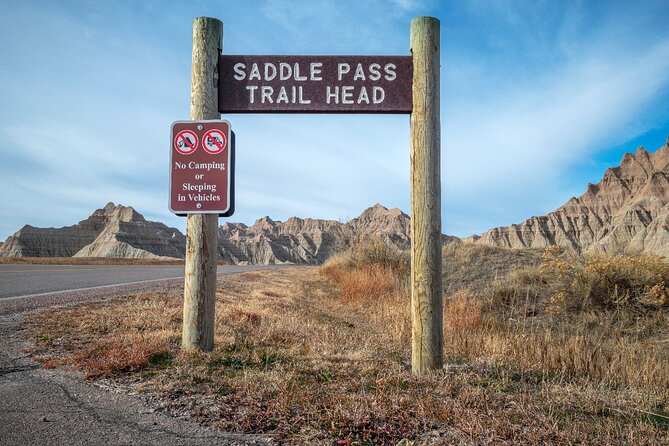
- Stop 11: Saddle Pass Trail
- Stop 12: Ben Reifel Visitor Center
- Stop 13: Cliff Shelf Nature Trail
- Stop 14: Notch Trail
- Stop 15: Door Trail
- Stop 16: Castle Trail
- Walking strategy: matching trails to your day
- What I think makes this tour worth it (and what to watch)
- Should you book this Badlands National Park audio tour?
- FAQ
- How much does the Badlands National Park self-guided driving audio tour cost?
- How long does the tour take?
- Is this tour self-guided, and will someone meet me at the start?
- Do I need cellular service during the tour?
- What do I need to access the tour after booking?
- Does the tour include park admission?
- What kind of device works best for navigation and audio?
- Can I play the audio through my car stereo?
- What if I pause or need to take breaks?
- Can I cancel for a full refund?
Key things to know before you hit play
- Lifetime access with no expiry: buy once, use anytime on any trip, as many times as you want
- Offline maps and location-triggered audio: no signal needed after download
- Hands-free pacing: start anytime, pause anywhere for photos and snacks
- Built around a driving route of about 34 miles: 32+ audio stories in roughly 1–2 hours
- Multiple short stops plus real hikes: from boardwalk strolls to a steep ladder section
Badlands by audio: why this self-guided drive feels different
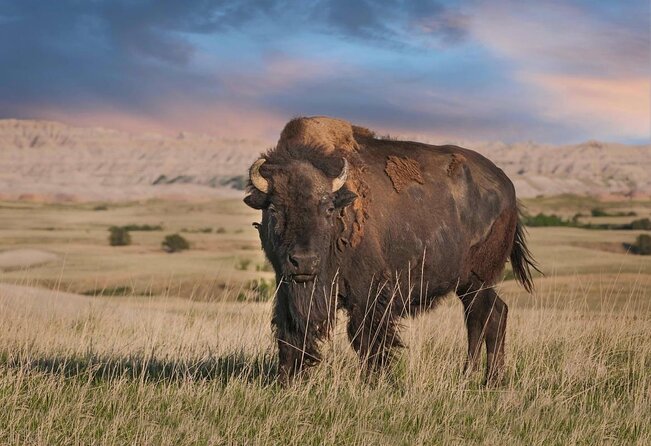
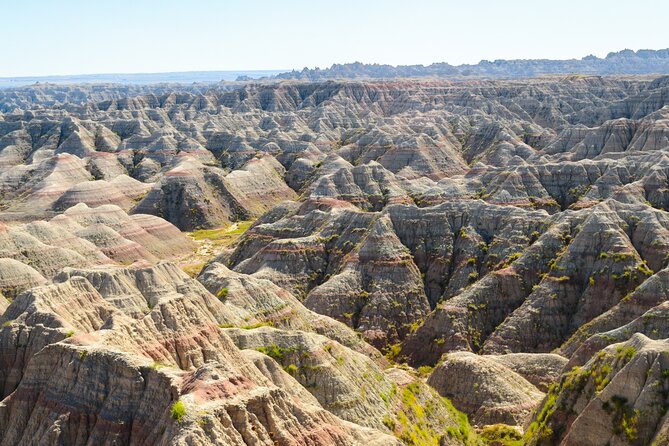
Badlands National Park rewards slow looking. The rock walls, paleosols, and wide prairies can feel like they blur together if you’re just passing through. This tour fixes that by attaching stories to specific spots, so each pull-off has a reason to stop.
What you’re really buying here is a clearer way to see. You’ll learn what you’re looking at—why the colors are there, what used to sit underground, and how people and animals used the same terrain you’re standing on now. And since it’s self-guided, you don’t have to match a group’s pace or time their restroom breaks.
You can also read our reviews of more tours and experiences in South Dakota.

Price and value: $16.99 per group up to four

At $16.99 per group (up to four people), the math works best when you’re traveling with at least two others. If you’re a solo traveler, it still may be worth it if you care about learning as you go. But the standout value is carload pricing, because you’re not paying per head.
Also, the tour is built to cover a lot of key areas in a short window. You’re aiming for about 1–2 hours and a route around 34 miles, with many stops that take around 5–10 minutes each. That means you can turn it into a compact half-day plan, rather than an extra full commitment.
One more value point: the app gives you lifetime access with no expiry. If you’re already planning a return trip to South Dakota, you can reuse it instead of buying again.
Setting up the app: offline use, car audio, and location cues
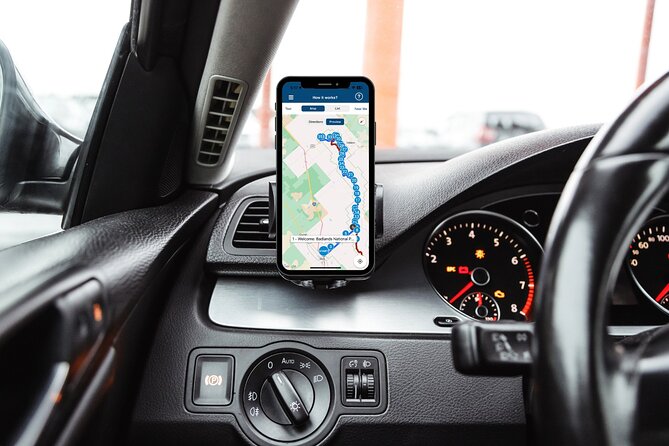
This tour works through Action’s Tour Guide App (the separate tour app). After booking, you receive an email and text with setup instructions and a password. The big rule is simple: download the tour while you have strong Wi‑Fi/cellular. Once downloaded, it’s designed to work offline.
On site, no guide shows up. You open the Action app, choose the tour version that matches your planned starting point and direction, and then start at the first story point. When location access is on, the audio plays based on where you are, and you can pause it whenever you want. If there’s only one tour listed, launching that is usually the right move.
If you want sound in the car, you can connect your phone using Bluetooth, USB, or AUX. The setup notes also say audio playback is compatible with Apple CarPlay (and Android Auto support is on the way). Since real-world setups vary—especially in rental cars—treat this as instructions, not magic. Test your connection before you drive off.
Route flow and timing: 16 stops across about 34 miles
The tour is planned as a driving route of about 34 miles with 32+ audio stories. Many stops are short enough that you can do them between longer viewpoints, but it’s still designed to be a full experience, not a drive-by.
Here’s the practical timing style: most overlooks and points of interest are around 5 minutes, while the longer or more involved stops are 10 minutes. The whole thing typically lands around 1–2 hours, depending on how long you linger for photos or wildlife.
One small but important tip: keep to the tour route and the posted speed limit. There’s also a note that audio can cut off if you break the app’s pace expectations, so slow down at each cue point.
Stop-by-stop: what you’ll learn at each Badlands audio cue
Stop 1: Hay Butte Overlook
This overlook faces the Badlands and prairie meadows. It’s a great place to train your eyes on the mix of open prairie and eroded rock forms. The audio nudges you toward wildlife viewing—things like bison and pronghorn can be part of what you notice here.
One practical note: it’s reached from the Badlands Loop Road, and it involves a short hike. Bring comfortable shoes if you want the full payoff.
Stop 2: Badlands Wilderness Overlook
This stop focuses on rugged rock formations and deep canyons. You’ll also get the “why” behind the area’s wildlife use, with mentions of bighorn sheep along with bison and pronghorn.
If you like photos with strong shadows, this is a stop worth slowing down for. It’s the kind of terrain that changes fast with light.
Stop 3: Roberts Prairie Dog Town
This one is built for watching behavior up close. The audio frames Roberts Prairie Dog Town as a home for black-tailed prairie dogs—burrowing rodents that are known for their “bark” and lively activity.
Go here when you want something besides rock views. Even without perfect sightings, this stop helps you understand the ecosystem that shapes how the Badlands looks and feels.
Stop 4: Ancient Hunters Overlook
Instead of treating the Badlands only as scenery, the tour brings in human use. This overlook connects to ancient tribes who hunted in the area, and the story points to finds like bison bones and arrowheads. It’s described as likely a butchering field where hunters cleaned and prepared bison.
This is a good reminder that the land has been read and used for thousands of years, not just observed recently.
Stop 5: Yellow Mounds Overlook
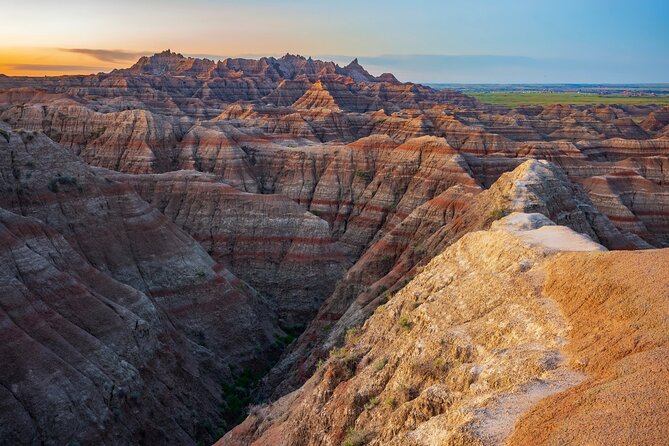
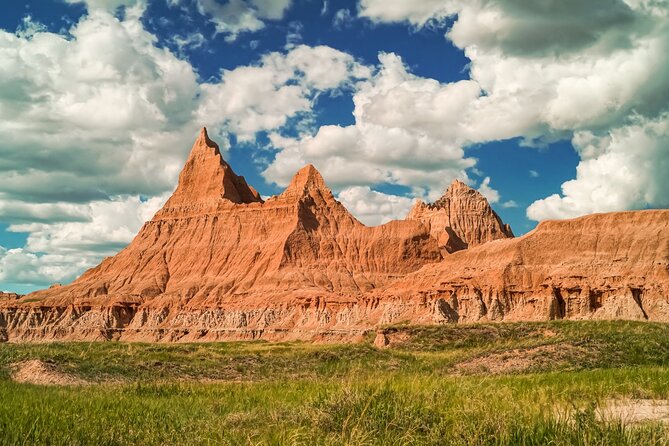
Here you learn why certain layers show up as yellow. The tour explains that iron oxide in the rock layers gives Yellow Mounds their color, shaped over millions of years through erosion and weathering.
If you like geology, this is one of the most direct “look closer” stops. If you don’t, it still helps you stop calling everything “cool rocks” and start naming what makes them look that way.
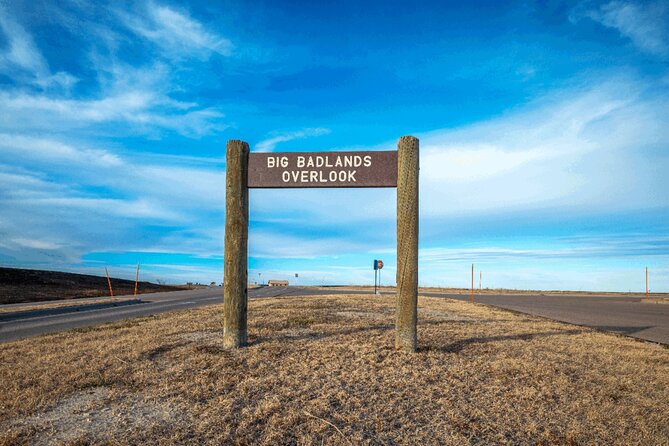
Stop 6: Big Badlands Overlook
This viewpoint is all about paleosols and deep time. The audio describes paleosols as a window into the distant past, and it connects what you can see here to the bottommost formation in the Badlands: the Pierre Shale. It also mentions that this area was once the bed of a warm, shallow sea.
This stop pairs well with the Yellow Mounds story. Together, they help you see the Badlands as a timeline, not a random pile of colors.
Stop 7: Homestead Overlook
This one adds American West history and policy. The audio brings in Lincoln’s view that the West had resources the country needed, and it explains the Homestead Act. It also notes that West Coast Natives were wary of settlers in an unexplored region.
If you only stop at the scenic points, this helps you understand the human push that followed. It’s history grounded in why people moved—and what it meant for the land.
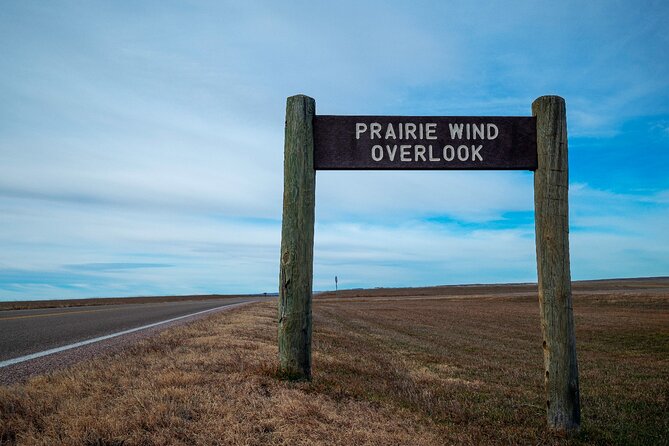
Stop 8: Prairie Wind Overlook
This overlook is a change of pace. The story shifts attention away from the sharp Badlands formations and toward gentle prairie. The tour uses it as an example of how diverse the park’s ecosystems can be.
If you’re feeling “rock fatigue,” this is your reset. It also helps you realize the park is more than one type of scenery.
Stop 9: White River Valley Overlook
This stop gives you the “big view” logic. The audio points out formations like The Castle and explains that it’s among the largest formations visible from the overlook. It also describes the White River’s role in creating the valley.
When the sky is clear, this is a good place for a slow scan. Let your eyes travel: foreground, then The Castle, then the valley stretching out.
Stop 10: Fossil Exhibit Trail
This is an easier, educational add-on. The stop includes an interactive trail with exhibits about fossil heritage, featuring ancient animal fossils. It’s described as wheelchair-accessible and suited for all ages and fitness levels.
The audio also mentions extinct animals you might learn about, including a rhinoceros and three-toed horse, and connects them to their environment. If you love learning through short exhibits, this fits perfectly between harder hikes.
Stop 11: Saddle Pass Trail
Saddle Pass is short but steep. It’s a 0.7-mile hike that should take under half an hour, and the audio frames it as one of the steepest spots in the park with over 200 feet of elevation gain.
There’s also a weather warning: if it’s rained recently, you should skip this one. This is the kind of trail where slick footing can ruin the fun fast.
Stop 12: Ben Reifel Visitor Center
This is your practical break. The story points to amenities and a picnic area, but it also highlights the Fossil Preparation Lab. The audio suggests this is a place to see what paleontologists do after fossils are discovered.
If your legs are tired, this is a smart “pause point” in the route. It gives you a place to stand still, read signs, and catch your breath.
Stop 13: Cliff Shelf Nature Trail
Another great viewpoint plus a change of biome. This half-mile loop is described as offering one of the best views in the park, and it includes a walk through a juniper forest.
It’s a nice contrast to the open prairie and bare rock. If you want your day to feel varied, this is a key stop.
Stop 14: Notch Trail
Notch Trail is for people who like a challenge and don’t mind rough terrain. The audio describes 1.5 miles of intermediate terrain and mentions a rope ladder that takes you up to a tremendous vista of the White River Valley.
The prize here is a higher viewpoint. The consideration is physical comfort and comfort with climbing tools like rope ladders.
Stop 15: Door Trail
This one is made for accessibility and photography. The audio describes a quarter-mile, fully accessible boardwalk leading to a break in the Badlands Wall known as The Door, with views beyond.
This is a great option if you want a dramatic payoff without a steep climb. If you’re coming with mixed walking levels, this stop can keep everyone in the same plan.
Stop 16: Castle Trail
The tour ends with The Castle. Castle Trail is listed as 5.4 miles and described as the longest-maintained trail in the park, weaving through prairie and Badlands peaks with many unique formations.
This stop is a good capstone if you want to stretch your legs at the end and see more variety than you can from overlooks alone. It’s also the most time-demanding piece in the route, so pace your day accordingly.
Walking strategy: matching trails to your day
This audio drive mixes quick pull-offs with hikes of different levels. So the best approach is simple: decide your hiking comfort first, then let the audio guide you.
- If you want minimal walking, aim for the Door Trail boardwalk and the Fossil Exhibit Trail.
- If you’re okay with short steep sections, Saddle Pass can be worth it, but only if conditions are dry.
- If you like a bigger challenge, Notch Trail adds intermediate rough terrain and a rope ladder.
- If you want a longer finale, Castle Trail is the main commitment.
The tour is designed so you can pause audio, explore side areas at your own pace, and then restart when you’re ready. That flexibility is the real advantage if your group has different energy levels.
What I think makes this tour worth it (and what to watch)
The strongest praised aspect here is that the narration makes the drive more meaningful. The audio is location-based, so you don’t have to stop and read your way through the day. It’s also praised for working well in a car setup, including through car speakers in rental vehicles.
The other big win is that the app keeps you independent. You’re not on a schedule set by someone else. You can linger at Hay Butte or Big Badlands when the light is good, then move on without waiting for anyone.
The main watch-out is audio reliability. Some people reported audio cut outs or difficulty reconnecting, so plan for that possibility. Download ahead, keep your phone battery strong, and don’t rush through stops. If you run into issues, there is support available during set hours, and you can also contact them if needed.
Finally, remember the park pass. The tour doesn’t include park entrance. You’ll need a standard entrance pass for Badlands National Park, valid for 7 consecutive days per vehicle.
Should you book this Badlands National Park audio tour?
Book it if you want a self-guided way to learn while driving, and you’re happy to follow a route with multiple short stops and a few hikes. It’s especially good value if you’re traveling in a group of up to four, since the price is per group rather than per person.
Skip it or plan extra carefully if you’re worried about phone setup, offline download timing, or you know you’ll have trouble using location-based audio in your specific car/phone combination. In that case, do a quick setup check before you start driving, and make sure your app download finishes on strong signal.
If you’re the type who likes understanding what you’re seeing—rather than just collecting photos—this tour will do a lot of the teaching for you without adding another tour stop to your calendar.
FAQ
How much does the Badlands National Park self-guided driving audio tour cost?
It costs $16.99 per group, up to 4 people.
How long does the tour take?
The tour takes about 1 to 2 hours.
Is this tour self-guided, and will someone meet me at the start?
It is self-guided. No one meets you at the start, and the audio begins when you reach the first story point in the app.
Do I need cellular service during the tour?
No. The tour includes offline maps, but you must download the tour while you have strong Wi‑Fi/cellular. After download, it should work offline.
What do I need to access the tour after booking?
After booking, you get an email and text with setup instructions and a password. You then download Action’s Tour Guide App and enter the password in the app.
Does the tour include park admission?
No. A standard entrance pass for Badlands National Park is required and is not included in the tour price.
What kind of device works best for navigation and audio?
The instructions recommend an iPhone running iOS 15 or later, or an Android device version 9 or later, or an iPad/tablet with GPS and cellular connectivity.
Can I play the audio through my car stereo?
Yes. You can connect your phone to your car’s stereo using Bluetooth, USB, or AUX. The tour also notes compatibility with Apple CarPlay.
What if I pause or need to take breaks?
You can start anytime and pause anywhere. The app is designed for your own pace, including for snacks and photos, and you can resume as you like.
Can I cancel for a full refund?
Yes. You can cancel up to 24 hours in advance for a full refund.